Where Is the Alt Key on a Mac?
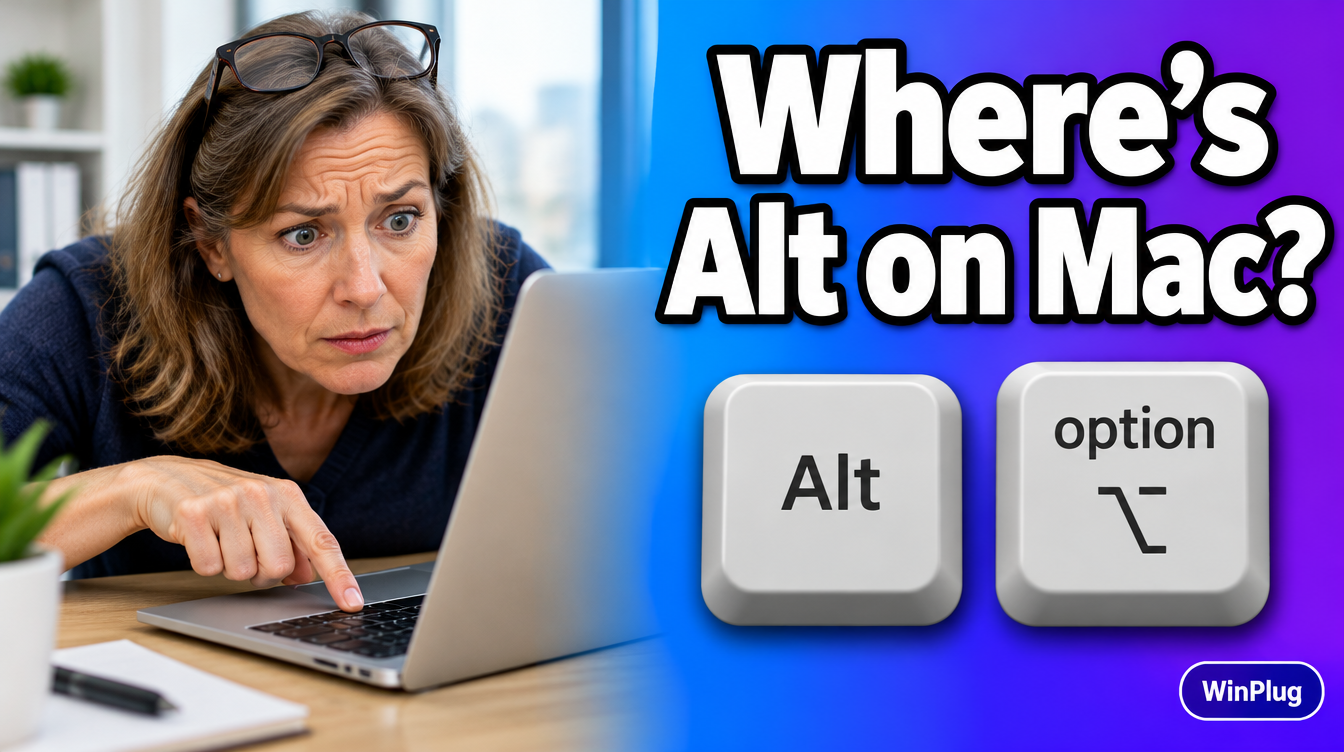
The Alt key on a Mac is the Option key, marked ⌥.
- It sits on both sides of the keyboard’s bottom row, between Control and Command.
- On a Windows keyboard plugged into a Mac, Alt works as Option.
- Use it to type special characters, see hidden menu items, and in shortcuts such as Option+Command+Esc.
On this page
- Windows keys and their Mac equivalents
- Your Alt shortcuts on a Mac
- Mac built-in vs. WinPlug Keyboard
- Where is the Alt key on a Mac keyboard?
- What does the Option key do on a Mac?
- I have a Windows keyboard on my Mac. Where’s Option?
- How do I type Alt codes on a Mac?
- Can Alt work like on Windows?
- Frequently asked questions

Windows keys and their Mac equivalents
| Windows key | Mac key | What changes |
|---|---|---|
| Alt | Option (⌥) | Same place, next to the space bar |
| Ctrl | Command (⌘), for most shortcuts | Ctrl+C becomes Command+C |
| Windows key | Command (⌘) on a Windows keyboard plugged into a Mac | Opens nothing on its own |
| Ctrl (for menus and text) | Control (⌃) | Used less often on a Mac |
| Backspace | Delete | Deletes to the left |
| Delete | Fn+Delete | Deletes to the right |

Your Alt shortcuts on a Mac
| What you want | On Windows | On a Mac | With WinPlug |
|---|---|---|---|
| Switch windows | Alt+Tab | Command+Tab (apps), Command + ` (windows of one app) | Alt+Tab, every window |
| Close a window | Alt+F4 | Command+W | Alt+F4 |
| Open the menus from the keyboard | Alt, then a letter | Control+F2, then the arrow keys | Alt, then a letter |
| Properties of a file | Alt+Enter | Command+I (Get Info) | Same as Mac |
| Special characters | Alt codes (Alt + 0233) | Option + a key, or the Character Viewer | Same as Mac |
Mac built-in vs. WinPlug Keyboard
Your Mac does the basics: Option is your Alt key, and every Alt shortcut has a Mac version. WinPlug lets you keep the Windows ones.
| Mac (built-in) | WinPlug Keyboard | |
|---|---|---|
| Alt alone | Does nothing | Shows a letter under each menu; type it to open the menu |
| Menus from the keyboard | Control+F2 (Fn+Control+F2 on some keyboards), then arrows | Alt, then the menu’s letter |
| Alt+Tab | Option+Tab does nothing; Command+Tab shows apps | Every open window, with a thumbnail |
| Alt+F4 | No equivalent; Command+W closes the window | Closes the window you’re in |
Where is the Alt key on a Mac keyboard?
Look at the bottom row. From the left: fn (or a globe), control, option, command, then the space bar. The order repeats on the right: command, option. Option is the Mac’s Alt key. Apple’s own list of keyboard symbols calls it “Option (or Alt) ⌥”.
On a MacBook Air or MacBook Pro, it’s in the same place.

What does the Option key do on a Mac?
- Special characters. Press Option with a key to type characters such as é, ©, € or ™. On a US keyboard, Option+E, then E types é. You can also hold a letter key down to see its accents.
- Hidden menu items. Open a menu, then hold Option: some items change or new ones appear.
- Shortcuts. Option adds a twist to many Command shortcuts: Option+Command+Esc opens Force Quit, Option+Command+W closes every window of the app, Option+Command+M minimizes them all.
- Copy by dragging. In the Finder, hold Option while you drag a file to copy it instead of moving it.
I have a Windows keyboard on my Mac. Where’s Option?
It’s your Alt key. The Windows key works as Command. So on a Windows keyboard, the Mac shortcut Option+Command+Esc is Alt+Windows key+Esc.
If you’d rather have Command next to the space bar, like on a Mac keyboard, you can swap the keys: System Settings > Keyboard > Keyboard Shortcuts > Modifier Keys, then pick your keyboard.
How do I type Alt codes on a Mac?
Alt codes don’t work on a Mac: Alt + 0233 types nothing. Three ways instead:
- Hold the letter. Hold E down and a small menu shows è, é, ê and others. Type the number shown.
- Option + a key. Faster once you know them (Option+G gives ©).
- Character Viewer. Press Control+Command+Space to pick emoji and symbols.

Can Alt work like on Windows?
Yes, with WinPlug. No need to relearn your habits: keep your Alt+Tab, your Alt+F4 and Alt for the menus.
With WinPlug, tap Alt on its own and a letter appears under each menu of the app. Type the letter to open that menu, then use the arrow keys and Return, like on Windows. Press Esc to put the letters away.
- Alt+Tab shows every open window with a thumbnail, not just apps.
- Alt+F4 closes the window you’re in, not the whole app.
- Ctrl+C, Ctrl+V and Ctrl+Z work like on Windows.
All three are on as soon as you install WinPlug, and each one has its own switch in Settings > Keyboard. On a Mac keyboard, your Alt key is Option. Use Windows keyboard shortcuts on your Mac.

Keep your Windows habits on your Mac
WinPlug brings back the taskbar, Alt-Tab, the Windows shortcuts, the snipping tool and more, in one app.
Free for 14 days · $24 one-time · No account
Other Windows habits WinPlug brings back
- Alt+F4 closes a window. See Alt+F4 on a Mac.
- Alt+Tab goes window by window. See how to switch between windows on a Mac.
- Ctrl+C and Ctrl+V. See how to copy and paste on a Mac.
Frequently asked questions
What is the Alt key on a Mac?
It’s the Option key, marked ⌥, between Control and Command at the bottom of the keyboard. Apple’s own list of keyboard symbols shows it as Option (or Alt).
Is the Option key the same as Alt?
It sits in the same place and plays a similar role. On a Windows keyboard plugged into a Mac, the Alt key works as Option. Its uses differ, though: on a Mac, Option types special characters and shows hidden menu items.
How do I type Alt codes on a Mac?
Alt codes like Alt + 0233 don’t work on a Mac. Use Option with a letter instead (Option+E, then E types é on a US keyboard), hold a letter key to see its accents, or press Control+Command+Space to open the Character Viewer.
What is Alt + Tab on a Mac?
The closest Mac shortcut is Command+Tab, which switches between apps. To switch between the windows of one app, press Command + `. With WinPlug, Alt+Tab shows every open window, like on Windows.
Where is the Alt key on a MacBook Air?
At the bottom left, between Control and Command, and again at the bottom right, next to the right Command key. It’s labeled option, with the ⌥ symbol.
Sources
- Apple Support, “Mac keyboard shortcuts”, support.apple.com/en-us/102650 (checked October 2026).
- macOS User Guide, “Windows keys on a Mac keyboard”, support.apple.com/guide/mac-help/cpmh0152/mac (checked October 2026).
- macOS User Guide, “Change the behavior of the modifier keys on Mac”, support.apple.com/guide/mac-help/mchlp1011/mac (checked October 2026).